Connect Claude to datalabs ERP
Choose Your AI Client
Select which application you use to interact with DataLabs Odoo records.
Credentials & Access
Enter your DataLabs account email and your Production Odoo API Key.
Panduan Visual: Cara Membuat API Key di Odoo
Buka delta.ptdatalabs.id ↗ di tab baru, lalu ikuti 4 langkah berikut:
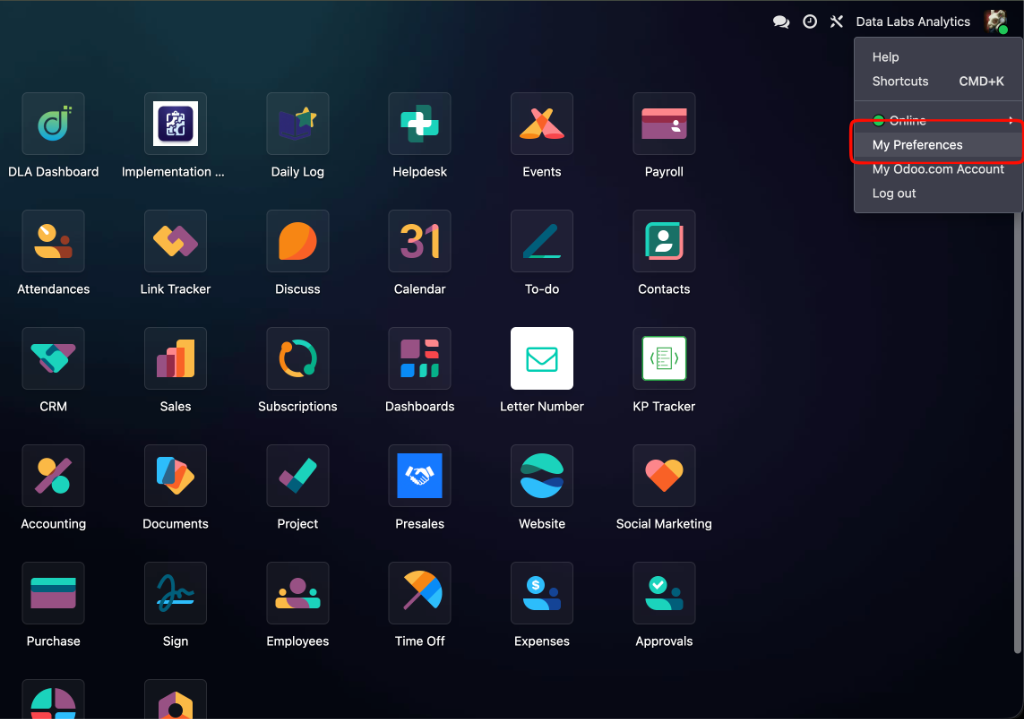
Buka My Preferences
Klik avatar akun Anda di pojok kanan atas Odoo ➔ pilih My Preferences.
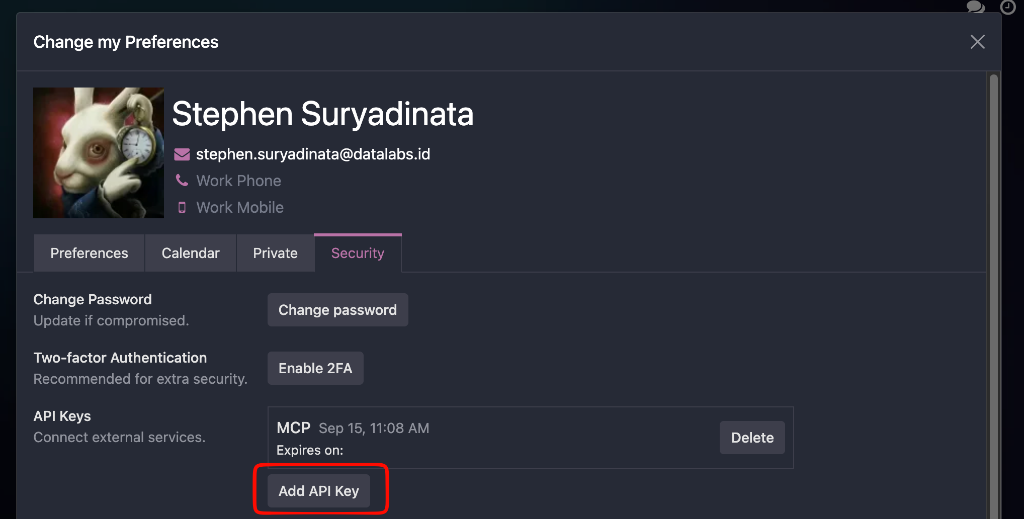
Tab Security ➔ Add API Key
Di modal preferensi, buka tab Security lalu klik tombol Add API Key.
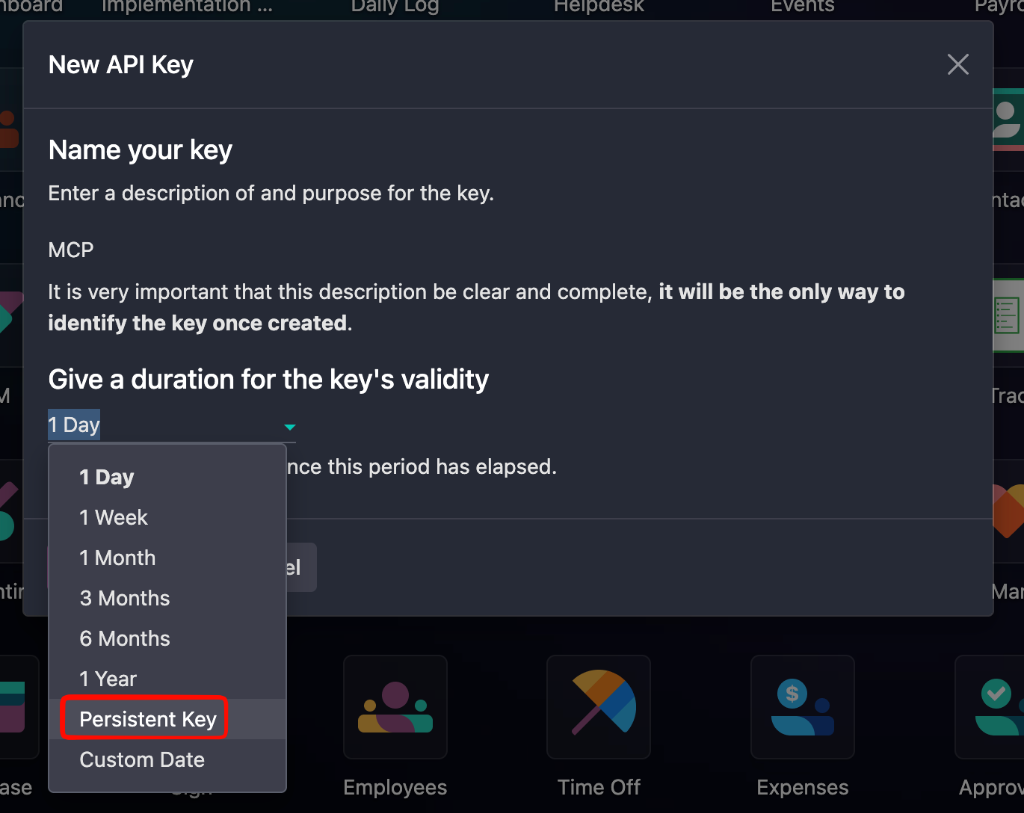
Beri Nama & Pilih "Persistent Key"
Ketik nama bebas (misal: MCP atau Claude). Pada durasi, pilih Persistent Key.
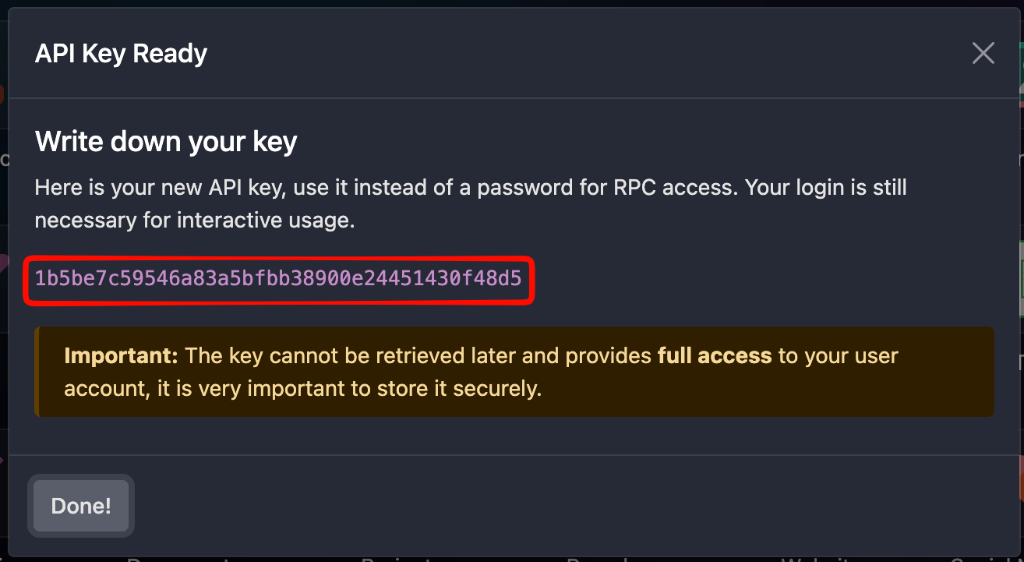
Copy API Key & Paste ke Form
Klik Generate Key, copy deretan kode yang muncul (highlight merah), lalu paste ke kolom input di atas.
Apply Configuration
Follow the instructions below to attach the Odoo MCP server to your client.
uv di laptop. Jika belum, jalankan:
curl -LsSf https://astral.sh/uv/install.sh | sh
Jalankan perintah ini di Terminal Anda:
uv di laptop. Jika belum, jalankan:
curl -LsSf https://astral.sh/uv/install.sh | sh
uvx dan memperbarui claude_desktop_config.json tanpa merusak server lain yang sudah ada:
Opsi 2: Konfigurasi Manual via Text Editor (Untuk Advanced Users)▾
Di aplikasi Claude Desktop, buka Settings (Cmd + ,) ➔ Developer ➔ Edit Config, lalu paste konfigurasi ini:
Verify & Test Connection
Test your setup with live ERP queries to ensure everything is communicating properly.
Check Odoo and show me the latest 3 confirmed sales orders from Adaro.
Show me unpaid customer invoices due this month with total amounts.
Used odoo-prod integration > di atas jawabannya beserta data asli dari Odoo ERP.